Open ONE and know what needs you.
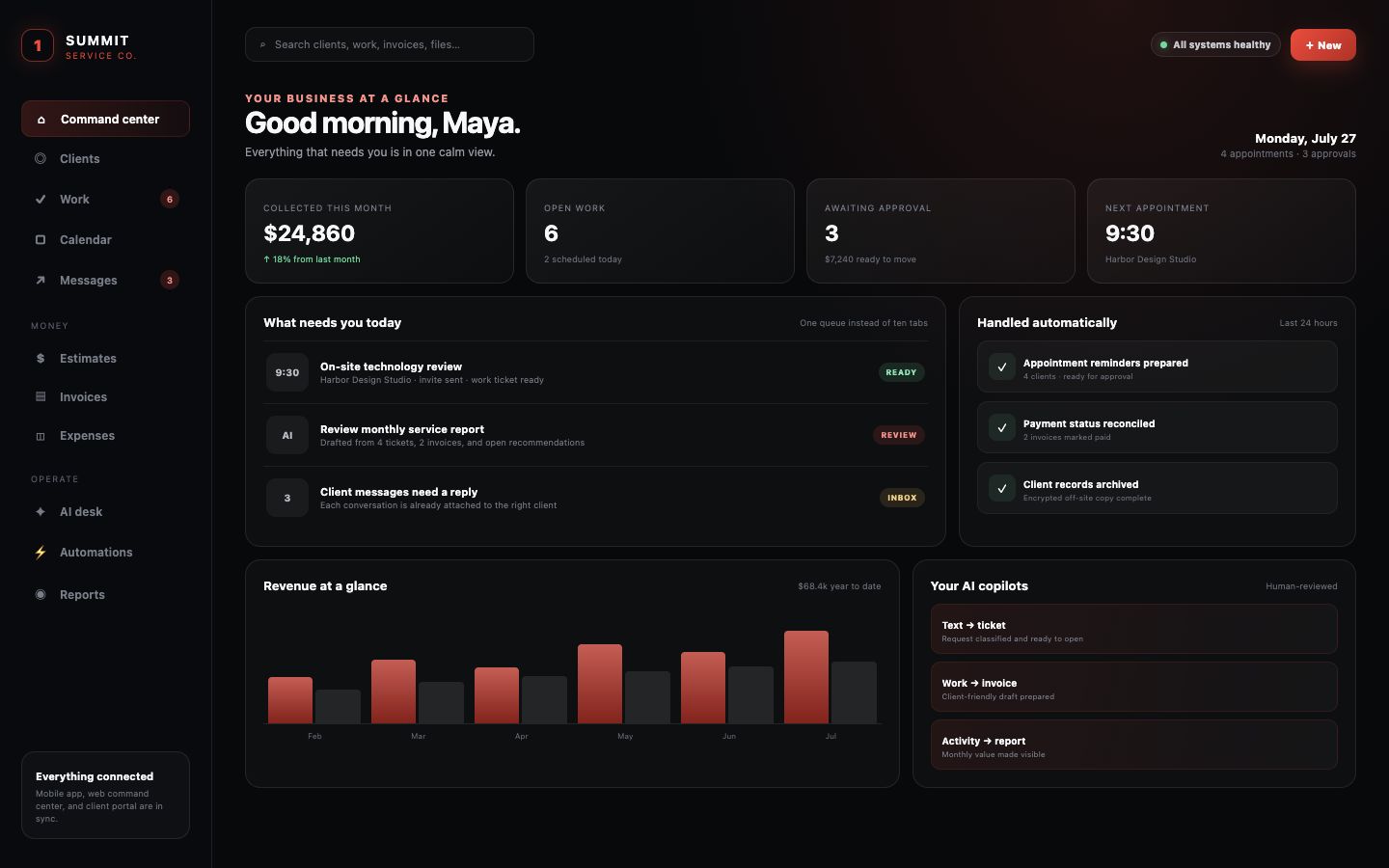
Clients, today’s work, appointments, receivables, new messages, approvals, monitoring alerts, recurring obligations, and follow-ups surface together.
TechWorks ONE is the AI-powered, all-in-one operating platform for small service businesses: an owner mobile app, a full web command center, and a secure client portal—all working from the same clients, tickets, appointments, messages, files, invoices, and history.
The expensive part of a scattered software stack is not only the subscriptions. It is the time lost reopening context, retyping the same customer information, searching old messages, checking whether systems agree, and carrying every loose end in your head.
Clients, today’s work, appointments, receivables, new messages, approvals, monitoring alerts, recurring obligations, and follow-ups surface together.
The client record follows the work from inquiry to estimate, ticket, appointment, invoice, payment, report, portal, and archive—without rebuilding context at every step.
Invites, reminders, recurring reports, owner alerts, intake, delivery checks, receipts, follow-up preparation, monitoring, and archival jobs keep moving in the background.
One login. One search. One client history. One approval queue.
Spend less of the day being the human connection between a CRM, ticket desk, calendar, inbox, payment screen, shared drive, task list, reporting tool, and monitoring app.
ONE turns the daily scavenger hunt across inboxes, spreadsheets, calendars, payment screens, shared drives, and disconnected point tools into one source of truth.
The owner mobile app, desktop command center, and customer portal work from the same operating data. Update a ticket, appointment, invoice, document, or client record once and the right people see the right version—without another handoff to remember.
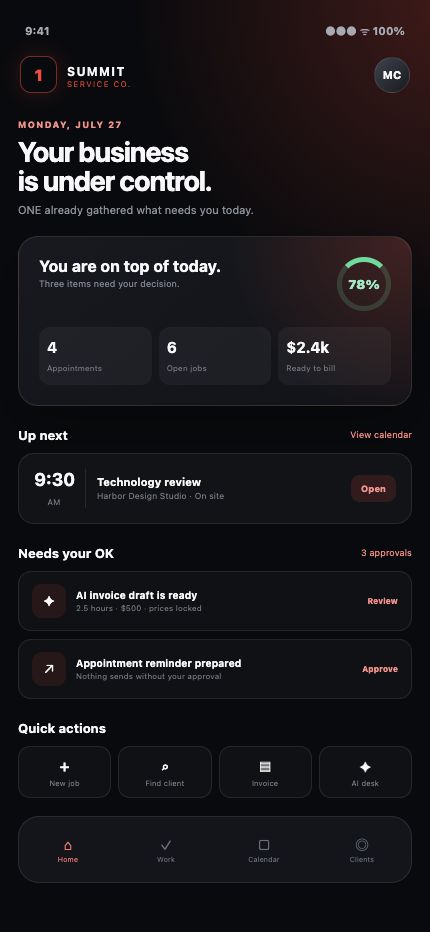
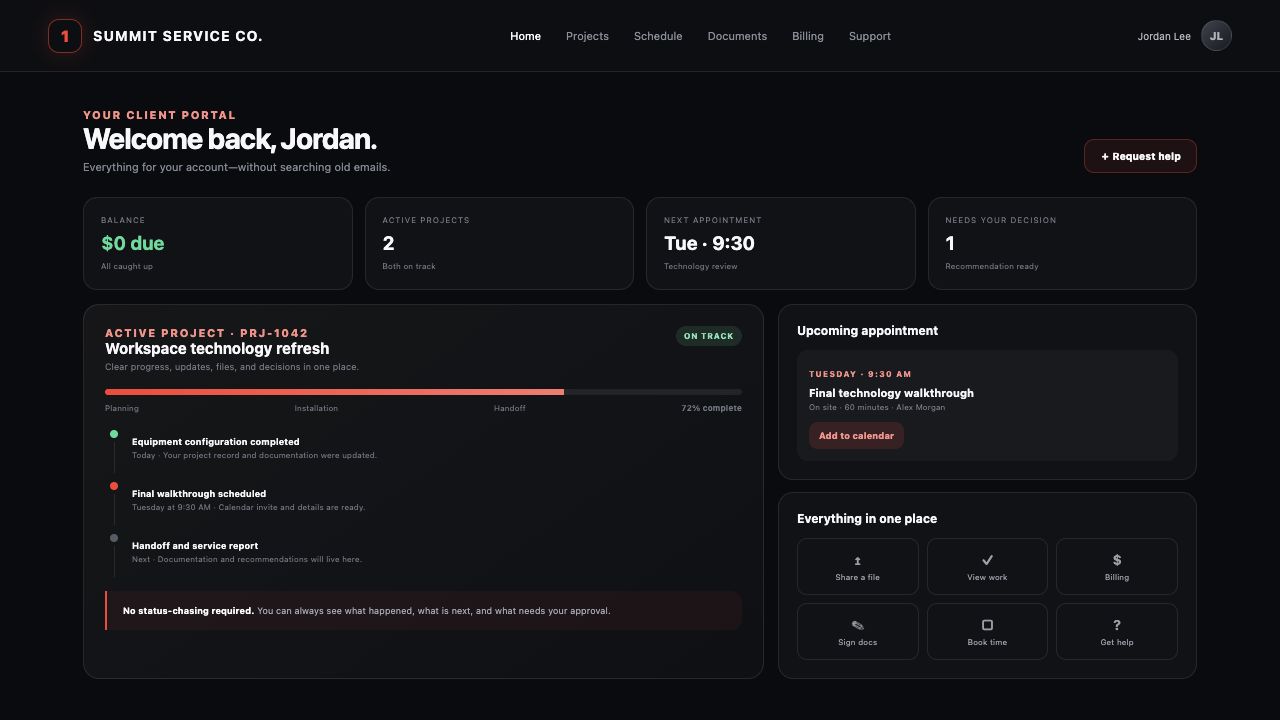
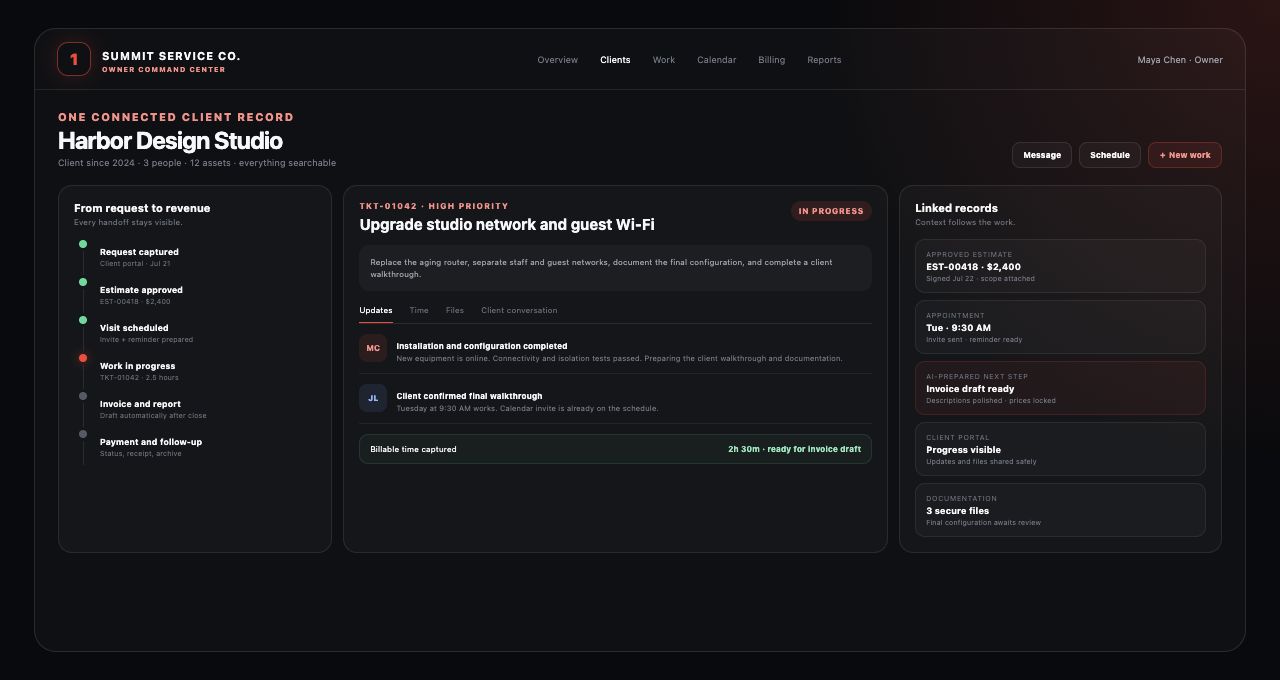
Every company, person, amount, appointment, and record shown here is fictional. These representative product scenes are built from capabilities already working inside TechWorks ONE; no private client information appears in them.
TechWorks ONE includes a crisp light workspace and a focused dark workspace across the owner experience and client-facing surfaces. It can follow the device preference on first visit, lets each person switch when they want, and remembers the choice for next time.
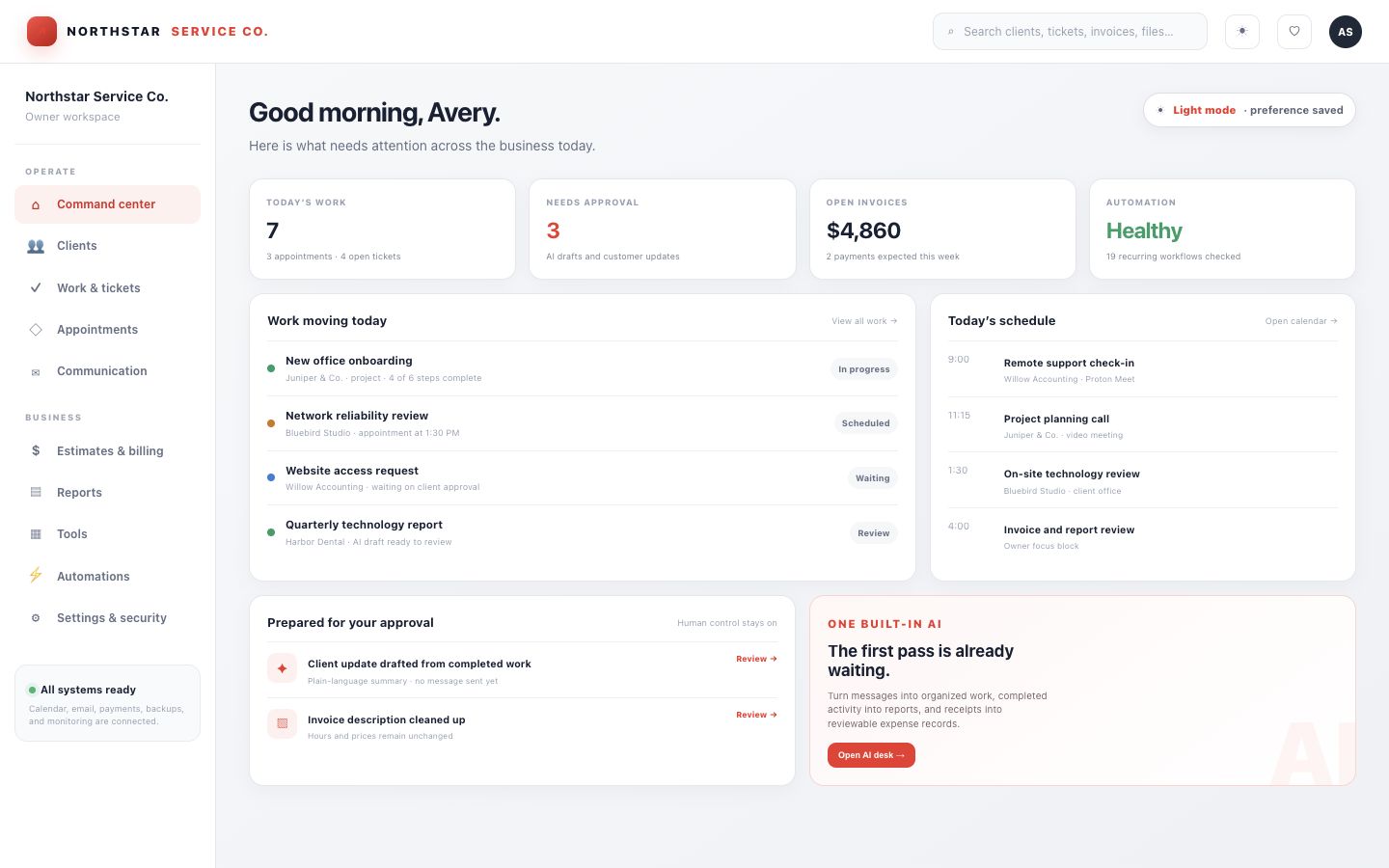
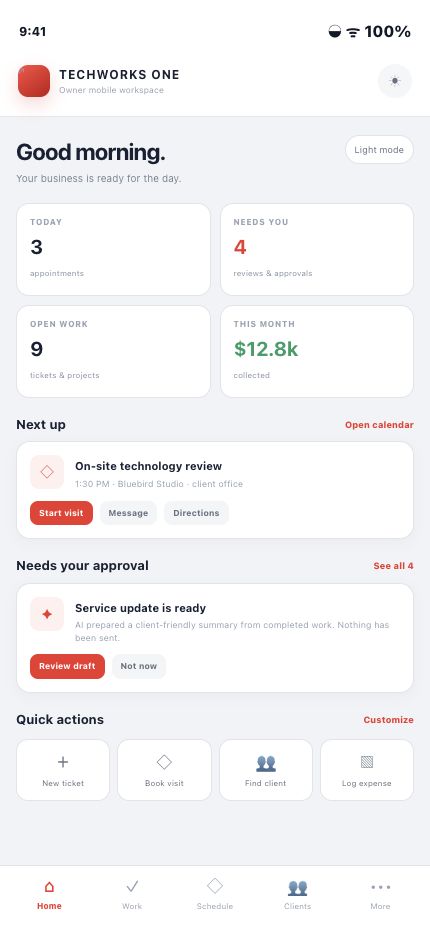
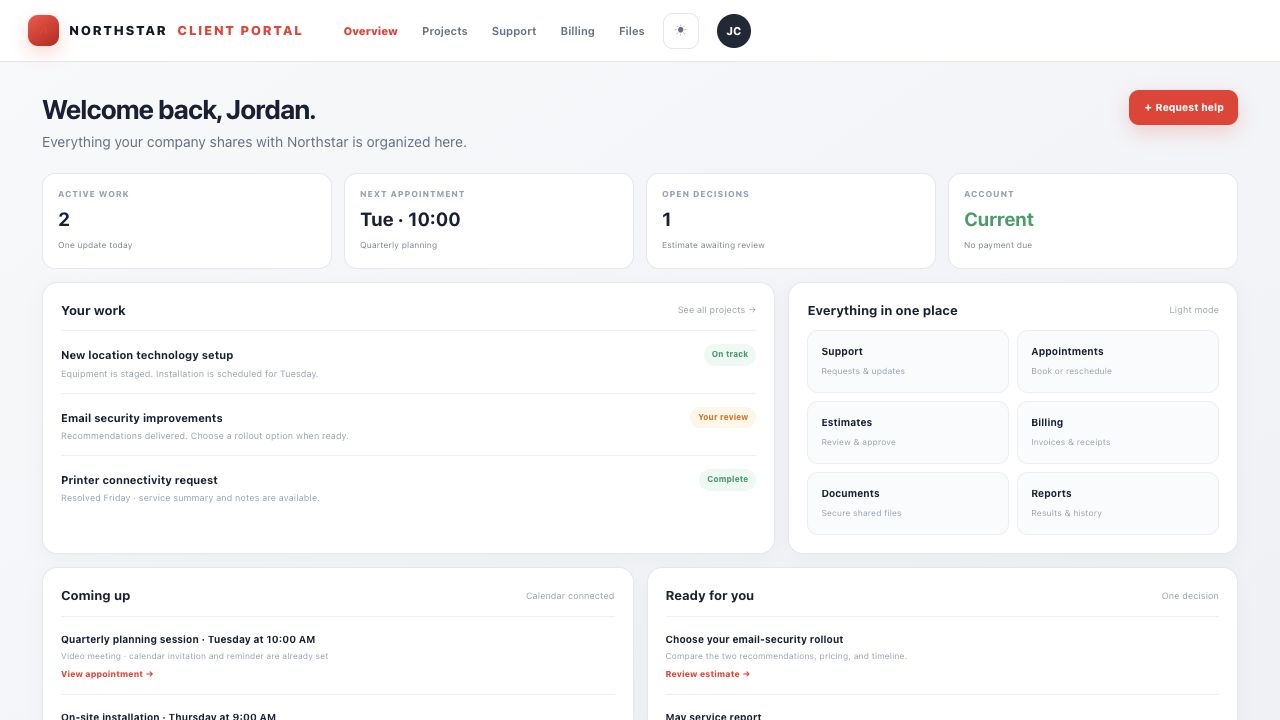
Use light mode for bright rooms and familiar client interactions, switch to dark mode for focus and low-light work, or let the device choose. The workflow, permissions, data, and safeguards stay exactly the same.
Every module is connected to the same client, work, communication, and financial history—giving the owner context without duplicate entry.
Keep the company, people, contact preferences, portal access, active sessions, service history, assets, equipment, documentation, recommendations, files, billing, and communication together.
Track incidents, service requests, questions, billing issues, and multi-step projects with priority, status, client-visible conversations, private internal notes, linked records, and a complete audit trail.
Book onsite visits, calls, and remote sessions. Send real calendar invitations, attachments, location or meeting details, and automatic reminders.
Build a private, categorized toolbox of scripts, installers, secure downloads, reference links, diagnostic utilities, remote-access tools, and client-site resources.
Bring email, text, call history, ticket conversations, estimates, invoices, receipts, and reminders back to the right client record instead of leaving context in separate apps.
Create estimates with flexible line items and price ranges, collect approval, convert accepted work into invoices, generate Stripe payment links, reconcile payment status, issue receipts, and track overdue accounts.
Drop in receipts, connect expenses to a client or job, log mileage, review category totals, and see income alongside Schedule C-oriented summaries.
Give clients one polished place for invoices, estimates, agreements, secure documents, appointments, tickets, reports, recommendations, notification choices, and signed-in device controls.
Five practical AI helpers organize intake, prepare billing language, draft reports, read receipts, and turn years of client history into useful knowledge—without sending on their own.
Publish client-facing service reports while the owner sees revenue trends, receivables, client value, quarterly totals, subscribed clients, and work needing attention.
Scheduled work prepares reminders, reports, receipts, and follow-ups, then routes customer-facing messages into a per-item approval queue. There is no blind bulk-send shortcut.
Watch websites and private system heartbeats, surface domain expirations, control team access, require MFA for sensitive actions, review active sessions, preserve audit history, back up operational data, and archive completed records off-site.
TechWorks ONE puts AI at the handoffs where small businesses lose the most time. It works from the records already connected inside ONE, prepares the first pass, and gives the owner something useful to review—not another blank prompt box and another service to babysit.
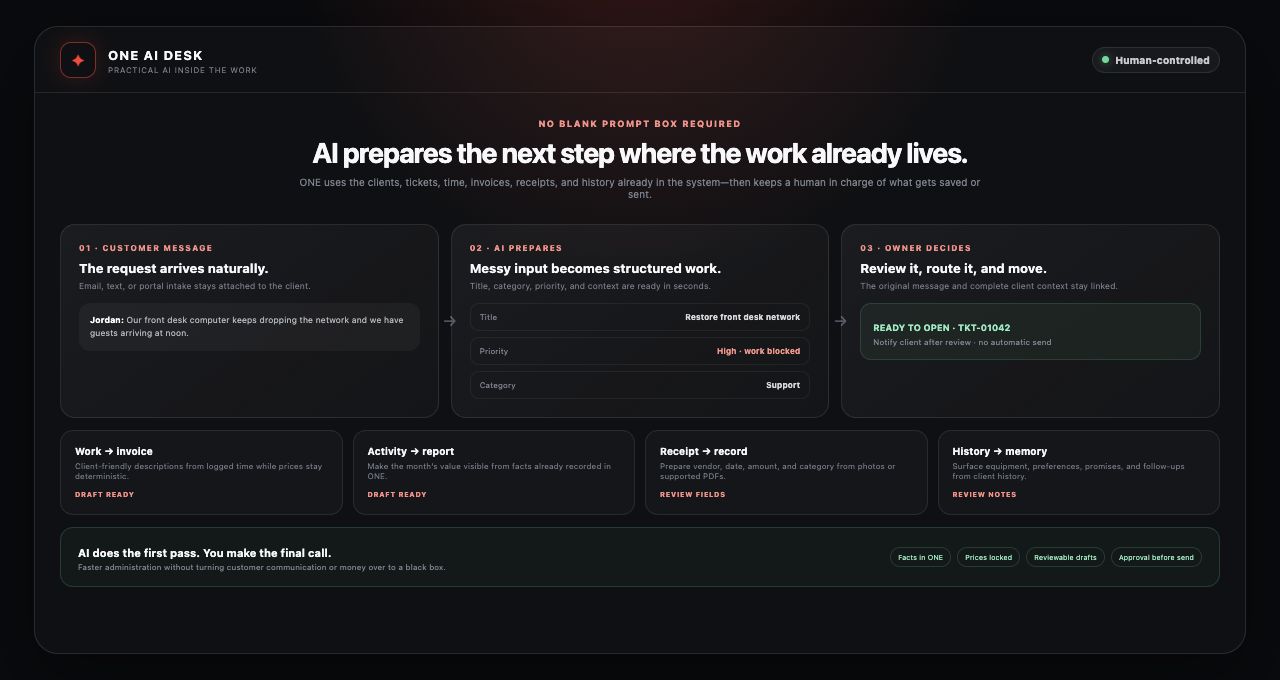
AI reads the request and prepares a concise title, service category, and sensible priority. The original message stays linked to the client and the new work record, so context does not disappear between apps.
ONE pulls billable time and approved estimate items into a draft, then AI cleans up the descriptions. Hours, quantities, and prices remain deterministic—AI does not invent or alter the money.
Tickets, invoices, outcomes, and open recommendations become the source for a warm, professional report draft based only on facts already recorded in the business.
AI can read a photo or supported PDF and prepare the vendor, purchase date, total, and expense category. The owner checks the result while ONE stores the receipt with the tax-year record.
AI can surface equipment, recurring issues, preferences, people, promises, and follow-ups from message history while flagging credentials for the secure vault instead of writing them into ordinary notes.
Drafts remain drafts until reviewed. Client-facing communication and other consequential actions keep deliberate owner controls, so the speed comes without handing the business over to a black box.
ONE does not treat “automated” as “fire and forget.” Important background work is trackable, retryable, reviewable, and backed by layered controls so convenience does not come at the expense of trust.
Turn incoming messages into structured work, create a ticket from an appointment, prepare reminders and reports, reconcile payment state, issue receipts, watch recurring obligations, and keep the next action visible.
Retryable job queues, delivery status, audit history, system heartbeats, operational backups, and off-site record archives give the owner more than one chance to catch a failed or incomplete process.
Encrypted sensitive records, multifactor authentication, step-up checks, role-based permissions, revocable sessions, audit trails, and carefully scoped portal access help keep private operational detail private.
A native iPhone experience for the live owner workspace, with secure local privacy controls, useful shortcuts, deep links, resilient offline handling, haptics, and push-ready alerts.
Use the complete dashboard from a modern browser for private operational detail, financial context, tools, reports, team controls, security, and deep client history.
Phone, tablet, or web: clients stop searching old emails and use one secure destination for work, money, files, decisions, support, and signed-in device controls.
Bring core operating work into one home base and let specialized integrations work behind it instead of becoming separate daily destinations.
Client, ticket, appointment, report, payment, and communication context flows through one connected system.
The full client story is searchable from one record, even when the relationship spans years.
Scope, approval, delivery, invoicing, status sync, receipts, and reporting stay connected instead of waiting for a manual handoff.
Customers get a professional portal, clear status, simple scheduling, self-service history, and a reliable paper trail.
Processes move out of the owner’s head and into secure, repeatable workflows a team can actually follow.
Payments, communication, secure files, calendars, meetings, notifications, remote support, infrastructure, and AI assistance connect to one operating layer—so the team can benefit from specialist services without living in every specialist service.
Strong fit for IT providers, consultants, contractors, repair businesses, creative studios, home-service companies, agencies, and other relationship-driven service businesses. Modules and branding can be tailored to the workflow.
This is not a generic slideshow. Tell us where work gets repeated, lost, delayed, or trapped between services. We will use your workflow to show how ONE could become the calm home base for your business.